


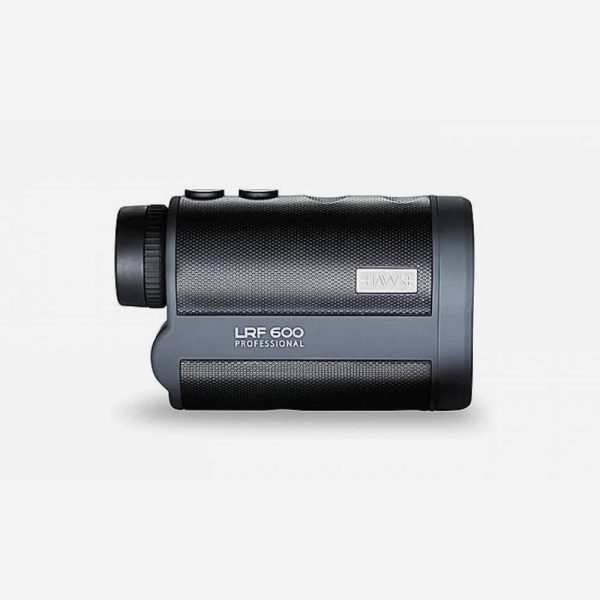




HAWKE PRO 600 Rangefinder


243.00 €
Description
The HAWKE PRO 600 is a professional rangefinder with a fully multi-coated optical system-BK-7. It measures distances with an accuracy of up to 1 m within a range of 6 m to 600 m. You can choose between five operating modes: Standard/Beeline/Height/Height Difference/Angle.
HAWKE PRO 600 Specifications
Magnification: 6x
Objective lens diameter: 25 mm
Weight: 180 g
Field of view: (m/1000 m) 122 m
Operating temperature: -10° to 40° C
Battery: CR2 – 3V
Water resistance: (IPx6)
Operating Modes:
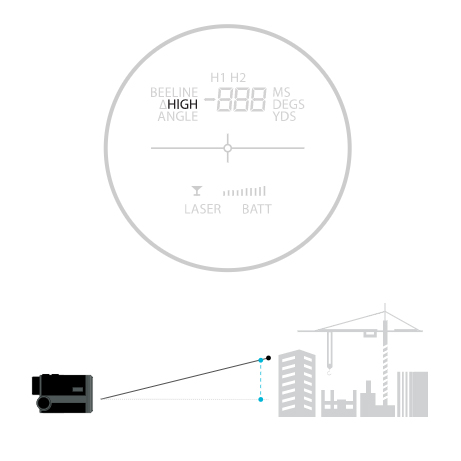
Standard Mode: When the rangefinder is in standard mode, it measures the straight-line distance to the target you are aiming at. When there is no image on the left side of the display (see 4 below), the rangefinder is in standard mode. If you hold down the ON button while in this mode, the rangefinder will continuously scan, so that as you move, you receive up-to-date distance information.
Beeline Mode: When this mode is enabled, the rangefinder measures the horizontal distance to the target. If you hold down the ON button while in this mode, the rangefinder will scan continuously, so that as you move, you receive up-to-date distance information.
Height Mode: When this mode is enabled, the rangefinder measures how high the target is relative to itself. If you hold down the ON button while in this mode, the rangefinder will scan continuously, so that as you move, you receive up-to-date distance information.
Angle Mode: Measures the angle of projection. The angle will be measured to the nearest half degree. When pointing downward, a minus symbol will appear in the left corner of the display. This mode can be set to continuously scan the angle as you move the rangefinder around. To do this, first turn on the rangefinder, enable Angle mode, and then press the ON button while pointing the rangefinder at something that is too close to measure, such as the floor. Then, as you move away, the rangefinder will continue to measure the angle of the target you are pointing at.
∆Height Mode: In this mode, Height Difference Mode, the rangefinder measures the distance between two points. First, H1 will appear; this is the first point to be measured. Turn on the rangefinder with the ON button and aim at this point. The height relative to the rangefinder will be displayed briefly. Then, when H2 appears on the display, aim the rangefinder at the second point and press the ON button. The height of the second point will be displayed briefly. Only then will ∆Height be displayed. On the right, you’ll see the difference between the two heights.
Video
No video available for this product.
Additional information
| Manufacturer |
|---|
Reviews (0)
Be the first to review “HAWKE PRO 600 Rangefinder”
You must be logged in to post a review.




Reviews
There are no reviews yet.